
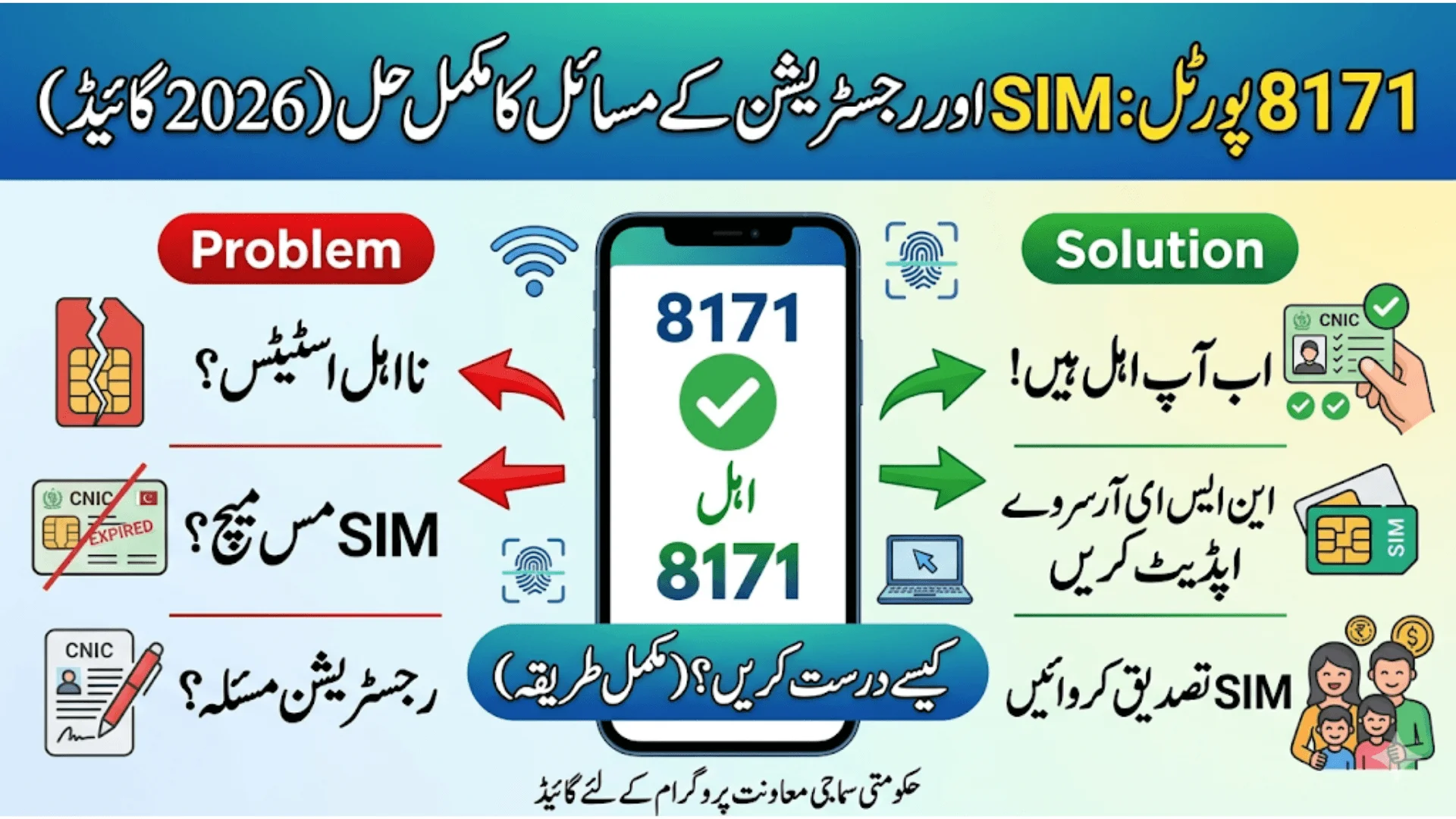
8171 Portal Status Check Solving SIM Eligibility
The 8171 Portal Status Check system is an important facility for beneficiaries of Pakistan’s social support programs. It helps users verify their eligibility, payment status, and registration details using their CNIC number. However, many people face issues such as SIM eligibility errors, registration mismatches, and incorrect portal status results.

These problems can be confusing, especially for families who depend on financial assistance. This article explains in simple English how the 8171 portal works, why SIM and eligibility issues occur, and how you can fix registration-related problems step by step.
Also Read: Ehsaas/BISP Program Closure Rumors Official May 2026 Payment Details
What is the 8171 Portal?
The 8171 portal is an official online system used to check eligibility and status through your CNIC (Computerized National Identity Card). It is designed to make the process easier so people do not need to visit offices repeatedly.
Through this portal, users can:
- Check eligibility status
- Confirm registration details
- View survey updates
- See whether they need re-verification
- Track SMS responses from 8171 system
The system is linked with the national database, so any mismatch in your data can directly affect your result.
How 8171 Portal Status Check Works
The system works by matching your CNIC with the government’s social registry database. When you enter your CNIC number, the system verifies:
- Household income data
- Family size and details
- NSER survey record
- SIM registration linked with CNIC
- Biometric verification status
If everything matches correctly, your eligibility is confirmed. If not, the system may show errors such as ineligible, under verification, or SIM mismatch status.
Also Read: How To Do BISP Check Balance Online By CNIC 2026 Updated & Verified Process
Common SIM Eligibility Issues in 8171 Portal
One of the most common problems users face is related to SIM eligibility. Many users report that:
- Portal shows SIM-related eligibility message
- Office tells them they are not eligible
- CNIC is correct but system still shows error
- SIM is not recognized or not linked
This happens due to data mismatch between your mobile number and your CNIC record.
Main reasons for SIM eligibility issues:
- SIM not registered on your CNIC
- Old or inactive SIM used in system
- Multiple SIMs registered under different names
- Data not updated in NSER survey
- Biometric verification not completed
Why 8171 Portal Shows Wrong or Conflicting Status
Sometimes the portal shows a different result than what you are told at the office. This creates confusion for users.
The main reasons include:
1. Outdated NSER Data
- If your National Socio-Economic Registry (NSER) data is old, the system may not reflect your current situation.
2. Pending Verification
- Your data may still be under review, so the system temporarily shows incomplete eligibility.
3. SIM-CNIC Mismatch
- If your SIM is not properly registered under your CNIC, the system may block or restrict verification.
4. Technical Update Delays
Sometimes the system is updated in phases, causing temporary differences between portal and office data.
Also Read: How To Get 3000 Rupees From Sindh Government Through CNIC Without Any Agent
Step-by-Step Solution to Fix SIM Eligibility Issues
If you are facing SIM eligibility problems, follow these steps carefully:
Step 1: Verify Your CNIC
- Make sure your CNIC is valid and not expired.
- Any expired CNIC can cause system errors.
Step 2: Check SIM Registration
- Ensure your mobile SIM is registered in your own name.
- If not, visit your mobile network franchise.
Step 3: Update NSER Survey
- Visit your nearest BISP or survey center and request an update of your household information.
Step 4: Recheck 8171 Portal
- After updating your data, wait a few days and recheck your status on the portal.
Step 5: Use Correct Mobile Number
- Always use the same number linked with your CNIC for verification and SMS alerts.
Understanding Registration Issues in 8171 System
Registration issues are also very common and usually occur when:
- Your household was not properly surveyed
- You missed the NSER survey update
- Your family data is incomplete
- Income information is not correctly recorded
- You recently changed address or family details
When registration data is incomplete, the system may show:
- Ineligible status
- Under verification
- Need for re-survey message
Also Read: Petrol And Diesel Prices Updated In Pakistan Today
What Does “Red Strip” or Warning Mean on Portal?
Many users see a red warning or strip on the 8171 portal. This usually means:
- Your data is outdated
- You need re-survey
- Your eligibility is temporarily paused
- Verification is required at tehsil office
This is not a permanent rejection. It simply means your information must be updated in the system.
How to Fix Registration Issues Step by Step
If your registration is not working properly, follow this method:
Step 1: Visit Tehsil Office
- Go to your nearest official office and request NSER update.
Step 2: Provide Correct Information
Give accurate details about:
- Family members
- Income status
- Address
- Mobile number
Step 3: Biometric Verification
- Complete fingerprint verification if required.
Step 4: Wait for System Update
- After submission, your data will be processed and updated in the system.
Also Read: Aghosh Program CNIC Verification 2026 Guide For Punjab Families
SIM Replacement or Lost SIM Solution
If your registered mobile SIM is lost or damaged, it can temporarily interrupt your 8171 verification process and SMS alerts. However, this issue is not permanent and can be resolved easily by following the proper procedure. It is important to act quickly so your CNIC-linked services remain active without any delay.
SIM Replacement or Lost SIM Solution
If your registered SIM is lost, you do not need to panic.
Follow this process:
- Go to your mobile network franchise
- Request a duplicate SIM of the same number
- Verify your identity with CNIC
- Activate SIM on your name
Once activated, the system will automatically reconnect your SIM with your CNIC record.
How to Check Your 8171 Portal Status
Checking your 8171 portal status is a quick and simple process that anyone can do from a mobile phone or computer. It helps you confirm whether you are eligible, under verification, or required to update your information. Make sure your internet connection is stable before starting the process for accurate results.
Checking your status is very simple:
- Open official 8171 portal
- Enter your 13-digit CNIC number
- Fill the captcha code
- Click on submit/check button
The system will show:
- Eligibility status
- Payment status
- Registration requirement
- Verification updates
Also Read: Punjab Rahmat Card 2026 Application Eligibility, Documents & Complete Process
Tips to Avoid Future SIM and Registration Issues
Many users face repeated issues in the 8171 system simply because their personal data is not properly maintained or updated on time. If you want to avoid delays, errors, or eligibility problems, it is important to keep your information accurate and consistent across all records. A few small precautions can save you from major registration or SIM-related issues in the future.
- Always keep SIM registered on your CNIC
- Update NSER data regularly
- Do not use someone else’s SIM
- Keep CNIC valid and updated
- Respond to official SMS only from 8171
- Avoid sharing personal data with unknown persons
Common Problems and Their Quick Solutions
Problem: Portal shows ineligible but you are already registered
Solution: Update NSER survey at office
Problem: SIM not recognized
Solution: Reissue SIM from mobile franchise
Problem: Portal shows under verification
Solution: Wait or visit office for update
Problem: No SMS from 8171
Solution: Check SIM registration and network status
Also Read: BISP 8171 Payment Verification 2026 How To Check Eligibility
Frequently Asked Questions (FAQs)
1. Why is my 8171 portal showing SIM eligibility issue?
This happens due to SIM-CNIC mismatch or outdated registration data.
2. How can I fix registration issues in 8171 system?
Visit your nearest NSER or BISP office and update your household information.
3. What should I do if my SIM is lost?
Get a duplicate SIM from your mobile network franchise using your CNIC.
4. Why does portal status differ from office result?
Because data updates may not be synced instantly between systems.
5. Is red strip on portal a permanent rejection?
No, it means you need to update your survey or verify your details.
Conclusion
The 8171 Portal Status Check system is a helpful tool, but users often face issues related to SIM eligibility and registration errors. These problems mostly occur due to outdated data, SIM mismatches, or incomplete surveys. The good news is that almost all issues can be fixed easily by updating your NSER record, verifying your SIM, and following the official process. By keeping your information correct and updated, you can avoid delays and ensure smooth access to your eligibility status. If you regularly check your 8171 status and keep your data updated, you will not face major problems in the future.
Also Read: How To Verify PM Sehat Sahulat Card Program Eligibility Online Using Official Website