
Important: Weeb Pakistan is an independent news website, not a government website. Confirm details on the official website or helpline of the program. Never share your CNIC, PIN or OTP with anyone, and never pay anyone to receive a government payment. Report an error.
BISP Payment Showing In Account But Not Received
BISP Payment Showing But Not Received: Thousands of BISP Kafalat beneficiaries across Punjab, Sindh, Khyber Pakhtunkhwa, and Balochistan are facing the same situation right now. Their payment status shows as transferred in the BISP system, yet the cash has not appeared in their hands or their linked account. It is a confusing and stressful experience, especially for families depending on that quarterly stipend for basic expenses.

This is not a random glitch for a few people. Data from BISP offices consistently shows this is one of the most common complaints raised at tehsil-level facilitation centers. The good news is that almost every case has a fixable cause, and knowing what to check first saves hours of unnecessary travel.
Also Read: BISP Stipend Document Verification June 2026 Confirmed
Quick Answer
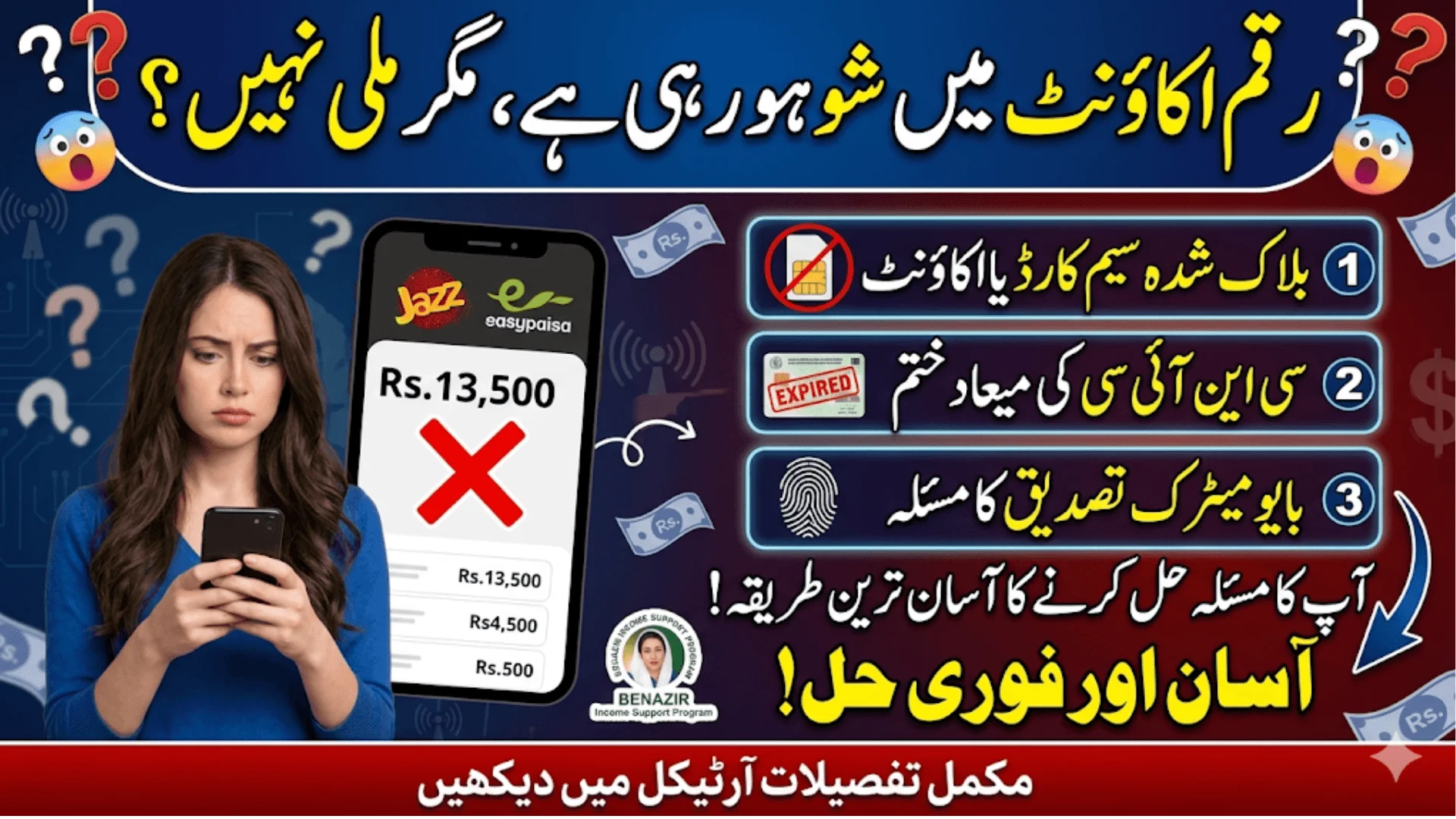
If your BISP payment is showing as transferred but not received, it usually means a SIM card mismatch, blocked mobile account, expired CNIC, or a Jazzcash/EasyPaisa verification issue. Visit your nearest BISP tehsil office with your original CNIC to get the account status corrected.
| Detail | Information |
| Program Name | BISP Benazir Kafalat |
| Payment Amount (2026) | Rs. 13,500 per quarter |
| Payment Method | Jazzcash, EasyPaisa, Bank Account |
| BISP Helpline | 0800-26477 (toll-free) |
| CNIC Verification Portal | 8171 (SMS) |
| Common Fix Time | 3 to 10 working days after correction |
Why Does BISP Payment Show Transferred But Not Reach You?
The BISP payment system releases funds to the designated mobile wallet or bank account automatically after each quarterly cycle. When the system marks a payment as “transferred,” it means BISP has processed the disbursement on their end. The problem arises in the final mile, between the BISP database and the actual mobile financial service account registered against your CNIC.
One of the most frequent reasons is that the mobile number registered with BISP is no longer active, has been transferred to another person, or is registered under a different CNIC in the telecom database. Pakistan Telecommunication Authority (PTA) rules require every SIM to be biometrically verified under one CNIC, and if there is any mismatch, the payment lands in a suspended state rather than reaching the beneficiary.
Also Read: Benazir Kafalat 13500 Qist June 2026 Registration & Biometric Verification Confirmed
Top Reasons BISP Payment Gets Stuck After Transfer
- The registered SIM is blocked, inactive, or expired at the telecom level
- Jazzcash or EasyPaisa account is not biometrically verified or the account is frozen
- CNIC has passed its expiry date and NADRA has flagged it as inactive
- Mobile account ownership does not match the beneficiary’s CNIC on NADRA records
- The beneficiary’s mobile wallet balance limit has been reached and new funds are rejected
- Bank account linked with BISP has been dormant for more than 12 months
- Payment was sent to an old number that the operator has reassigned to another person
How to Check Your BISP Payment Status Before Going to the Office
Before visiting a BISP tehsil facilitation center, you can do a quick self-check that saves time. Send your CNIC number (without dashes) to 8171 from any mobile number in Pakistan. The automated reply from BISP will tell you whether your payment has been processed and which payment cycle it belongs to. This step helps you confirm whether the issue is on the BISP side or the mobile banking side.
If the SMS reply confirms payment was sent, open your Jazzcash or EasyPaisa app and check the transaction history carefully. Sometimes the amount arrives but gets auto-debited by a pending loan deduction or a service charge that the user is unaware of. Check the “Mini Statement” option in your mobile wallet app to see all recent credits and debits.
Also Read: BISP 8171 New Payment Schedule 2026 Confirmed District-Wise Dates
Step-by-Step Fix What to Do When Payment Is Not Received
- Send CNIC number to 8171 to confirm payment was actually disbursed by BISP
- Open your Jazzcash or EasyPaisa app and check transaction history for the last 30 days
- Dial the BISP toll-free helpline 0800-26477 and ask them to verify the registered mobile number on your account
- If the registered number is wrong or inactive, visit the nearest BISP tehsil office with your original CNIC
- At the office, request a “mobile number correction” form and submit it with a biometric thumb impression
- After correction, the next quarterly payment will go to the updated number; for the stuck payment, BISP may reprocess it
- If the issue is a frozen Jazzcash/EasyPaisa account, visit any Jazzcash agent or EasyPaisa franchise with your CNIC for re-verification
CNIC Expiry Can Block Your BISP Payment
A large number of payment blocks are linked to CNIC expiry, which beneficiaries often overlook. NADRA periodically updates its database and when an ID card crosses its validity date, the linked mobile accounts and government payment systems may place a hold on transactions. BISP follows NADRA integration, so an expired CNIC can result in the payment showing as “pending” on the beneficiary’s end even though BISP has released the funds.
The fix here is straightforward. Visit the nearest NADRA office or NADRA E-Sahulat center, renew your CNIC, and once the updated card is issued, visit BISP’s tehsil office to get your record updated. This usually takes between 5 to 15 working days to reflect across all systems.
Also Read: IMF Recommends Increase In BISP Kafalat Payment To Rs. 20000 In Pakistan
When the Money Goes to the Wrong Mobile Account
In some cases, especially for older registrations, the SIM that was originally registered with BISP has since been reassigned by the telecom operator to a completely different person. This happens when a number is inactive for 90 or more days and the operator recycles it. In that situation, another person may have unknowingly received funds meant for you.
If this has happened, you need to file a written complaint at both the BISP tehsil office and lodge a complaint through the 8171 helpline system. The BISP complaint resolution cell works with Jazzcash and EasyPaisa to investigate such cases. Recovery of funds and re-disbursement in these situations can take 15 to 30 working days, but BISP’s policy does protect the original beneficiary in verified cases.
Jazzcash and EasyPaisa Account Verification Issues
- Open the app and check whether your account shows a verification banner or restriction notice
- Accounts inactive for more than 6 months may be placed in a restricted state by the mobile financial service provider
- Biometric re-verification at any franchise point restores full account functionality within 24 hours
- Check whether your account has hit its monthly transaction limit; BISP payments count toward wallet limits
- Level-0 (unverified) Jazzcash or EasyPaisa accounts cannot receive more than Rs. 25,000 per month; upgrading to Level-1 removes this cap
Also Read: Apna Khet Apna Rozgar 2026 Registration Form, Eligibility & How To Apply Online
Frequently Asked Questions
How long does it take for a stuck BISP payment to be released after correction?
After submitting a correction request at the BISP tehsil office, reprocessing typically takes 3 to 10 working days depending on the nature of the issue.
Can I check BISP payment status without visiting any office?
Yes, send your CNIC number without dashes to 8171 via SMS from any Pakistani mobile number for an instant status update.
What if BISP transferred payment to a wrong mobile number?
File a complaint at the BISP tehsil facilitation center and call 0800-26477; BISP’s complaint cell investigates and reprocesses verified cases.
Does CNIC expiry stop BISP Kafalat payments?
Yes, an expired CNIC can cause payment holds; renew your CNIC at NADRA and update your record at the BISP tehsil office to resume payments.
What documents are needed to fix a BISP mobile number correction?
Your original CNIC, the new active SIM registered under your CNIC, and your biometric thumb impression at the BISP facilitation center are required.
Why is BISP payment showing in 8171 but not in my Jazzcash account?
The Jazzcash account may be frozen, unverified, or the SIM registered with BISP may not match your current active number; visit a Jazzcash franchise for biometric re-verification.
Is the BISP helpline available 24/7?
The 0800-26477 toll-free helpline operates during standard government working hours, Monday through Saturday, from 8 AM to 8 PM.
Final Take
A BISP payment showing as transferred but not received almost always traces back to a mobile account issue, a SIM mismatch, or an expired CNIC. The 8171 SMS check is the fastest first step, and most problems get resolved within two weeks of visiting the BISP tehsil facilitation center with the correct documents. As BISP continues expanding its Kafalat digitization through HBL, Jazzcash, and EasyPaisa channels in 2026, keeping your mobile number active, your CNIC current, and your wallet verified will prevent most payment delays before they even start. Watch for BISP announcements on any new biometric re-enrollment drives in your district, as those sessions often resolve bulk account issues on the spot.
Also Read: How To Get Your BISP Quarterly Payment Before June 15